How to Tune Your EP1 Sensor
Tune Everything Presence One presence detection for your room. Follow the guide to adjust sensor settings and reduce unwanted detections.
The EP1 mmWave sensor is highly sensitive compared to traditional PIR motion sensors. To ensure accurate occupancy detection and reduce false triggers, follow this guide to adjust its placement and settings.
Tip
New to presence sensors? Check the Glossary of Terms for explanations of common terminology.
Sensor Placement
Proper placement is crucial for reliable performance. Consider the following guidelines:
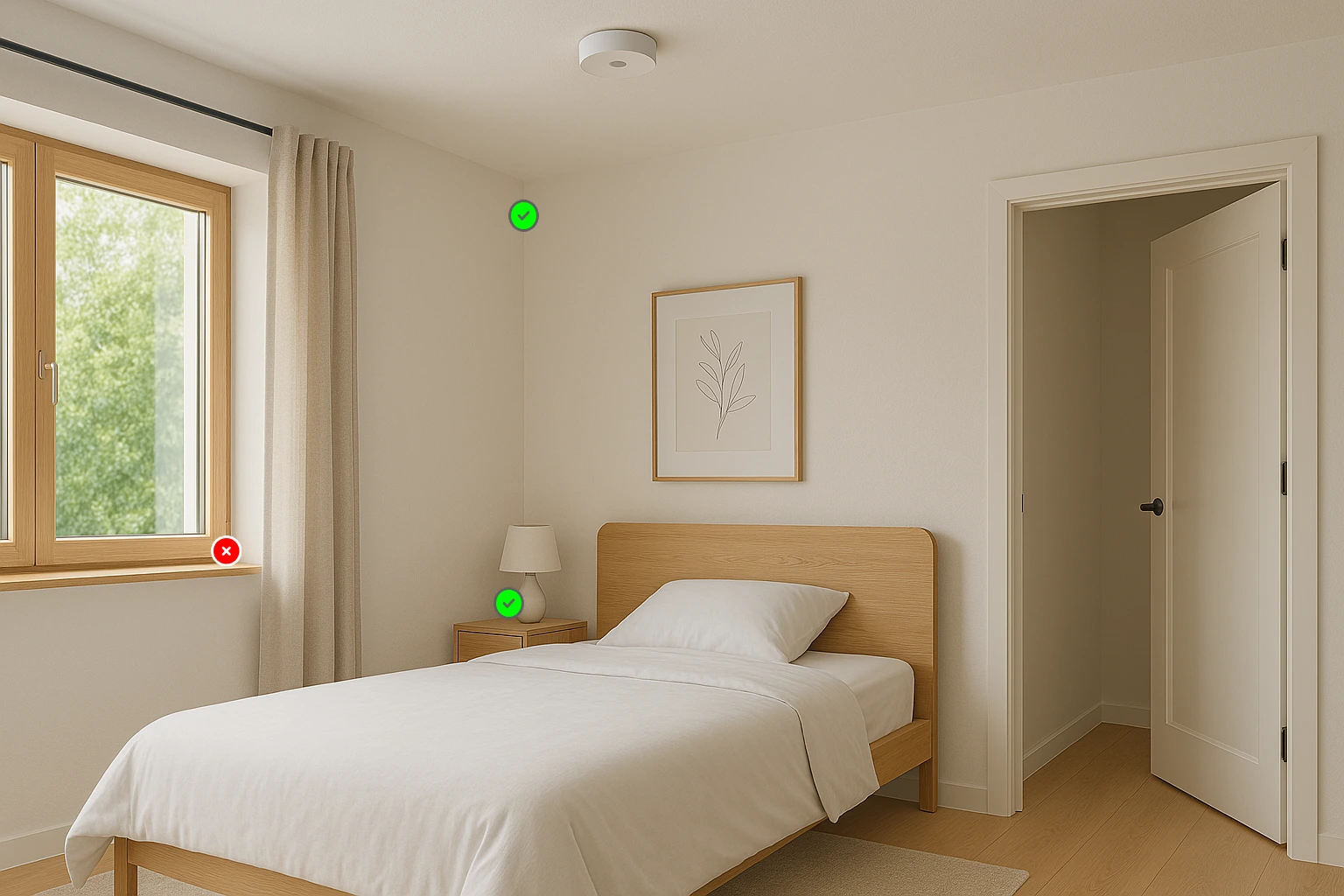
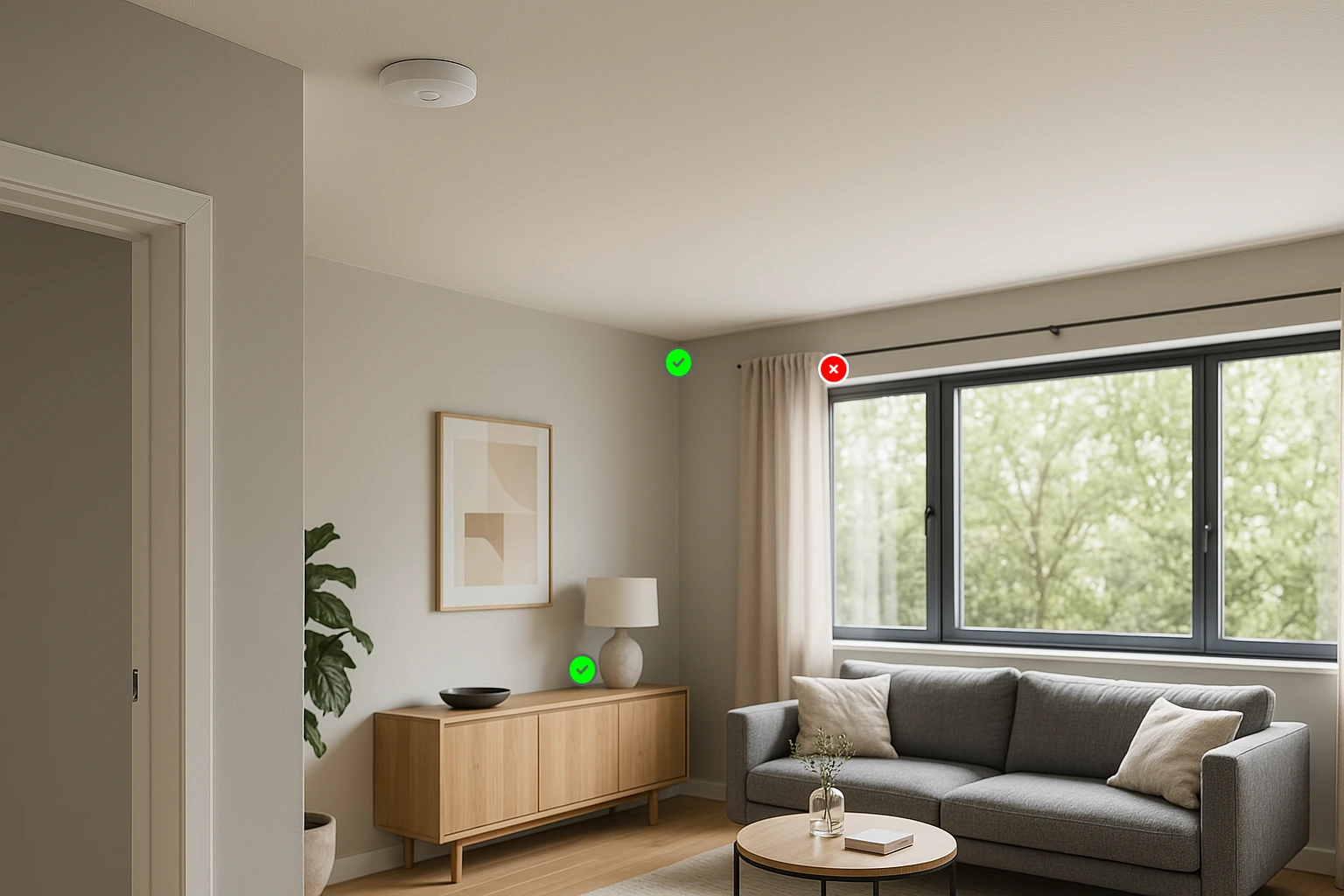
- Mount on a sturdy surface: Attach the sensor to a wall or a stable object like a shelf or cabinet. mmWave sensors can detect extremely fine movements, so an unstable surface may introduce false detections.
- Avoid vibration sources: Do not place the sensor on objects that may vibrate, such as an air-conditioning unit. Even small vibrations can be detected as movement.
- Keep away from moving objects: Placing the sensor near frequently moving objects, such as curtains, plants, or ceiling fans, can lead to unintended detections.
- Be aware of penetration effects: The mmWave sensor can detect motion through thin walls. If placed too close to a thin partition, it may pick up activity from an adjacent room.
Adjusting Detection Distance
Tip
You must press "Set Sensitivity" or "Set Distance" for changes to take effect.
After placement, adjust the sensor's detection range:
- Match distance to room size: If the detection range is too short, movements outside the set distance may go undetected. If set too long, unintended motion from outside the room may be detected.
- Avoid excessive range: Setting the range too far can cause signal reflections, leading to inconsistent results.
- Use a rough estimate: A general approximation within 0.5m is sufficient.
Tuning Sensitivity and Latency
Tip
You must press "Set Sensitivity" or "Set Distance" for changes to take effect.
Fine-tune sensitivity and on-latency settings to balance responsiveness and accuracy:
- Sensitivity: Determines how much motion is required to trigger detection.
- On Latency: Specifies how long an object must be in motion before being considered detected.
Recommended Tuning Process
- Start with default values:
- Set On Latency to 0 seconds for the fastest response.
- Begin with medium sensitivity (4-5).
- Observe behaviour:
- Ensure the sensor accurately detects presence when the room is occupied.
- Verify that it correctly switches to "clear" when unoccupied.
- Adjust sensitivity as needed:
- If the sensor intermittently switches to "not detected" while occupied, increase sensitivity.
- If false detections occur when the room is empty, proceed to step 4.
- Add On Latency to reduce false triggers:
- Increase On Latency by 0.5 seconds if unwanted detections persist.
- Continue increasing in 0.5-second increments as needed.
- Refine settings:
- If necessary, re-adjust sensitivity after setting On Latency.
- The optimal settings depend on your room's specific conditions.
By following these steps, you can ensure the EP1 mmWave sensor accurately detects occupancy while minimizing false activations. If issues persist, consider adjusting placement or further refining sensitivity and latency settings.
Related Resources
- Home Assistant Entities Overview - All EP1 entities and settings
- Automation Examples - Create automations with your tuned sensor
- Technical Entity Reference - Complete list of all EP1 entities with defaults and ranges
- Best Practices: Room-by-Room Setup Guide - Recommended settings for different room types
- Troubleshooting - Common issues and solutions
If you still need help
If you're still having trouble tuning your device, contact us for further assistance. Join us on Discord to discuss with the community.