SmartThings Automation Examples for EP1
Create SmartThings automations with Everything Presence One. Explore examples that use presence detection to control your smart home.
These examples use the standard SmartThings routine builder.
To create a routine, open the SmartThings app and go to Automations > + > Create routine.
Use If for the EP1 trigger or condition, and Then for the action such as lights, scenes, notifications, or ventilation.
Turn lights on when the room is occupied
Use this for normal room lighting.
If:
- EP1
Presencechanges toMotion detected
Then:
- Turn on the room lights
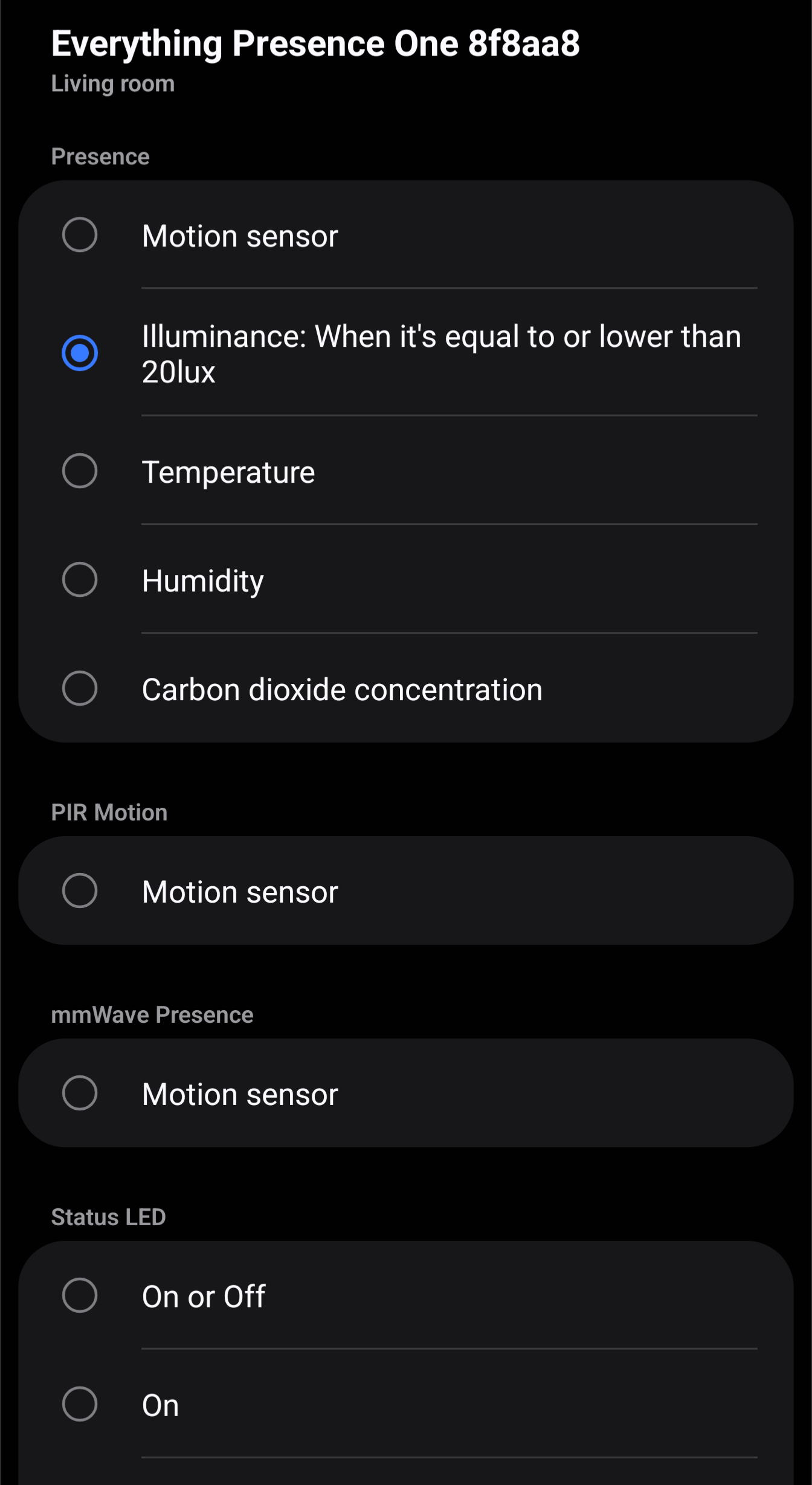
Image placeholder: SmartThings routine editor showing EP1 Presence as the trigger
Optional condition:
- EP1
Illuminanceis below your preferred brightness level
Turn lights off after the room is empty
If:
- EP1
Presencechanges toNo motion detected
Then:
- Turn off the room lights
Tip: adjust the occupancy off delay in the EP1 settings if lights turn off too quickly or stay on too long.
Use PIR for fast entry detection
If:
- EP1
PIR Motionchanges toMotion detected
Then:
- Turn on lights or start an entry routine
This can be useful where you want a quick reaction as someone enters the room.
Use illuminance to avoid turning lights on during the day
If:
- EP1
Presencechanges toMotion detected
Condition:
- EP1
Illuminanceis below your chosen lux value
Then:
- Turn on the lights
Air quality notification with CO2
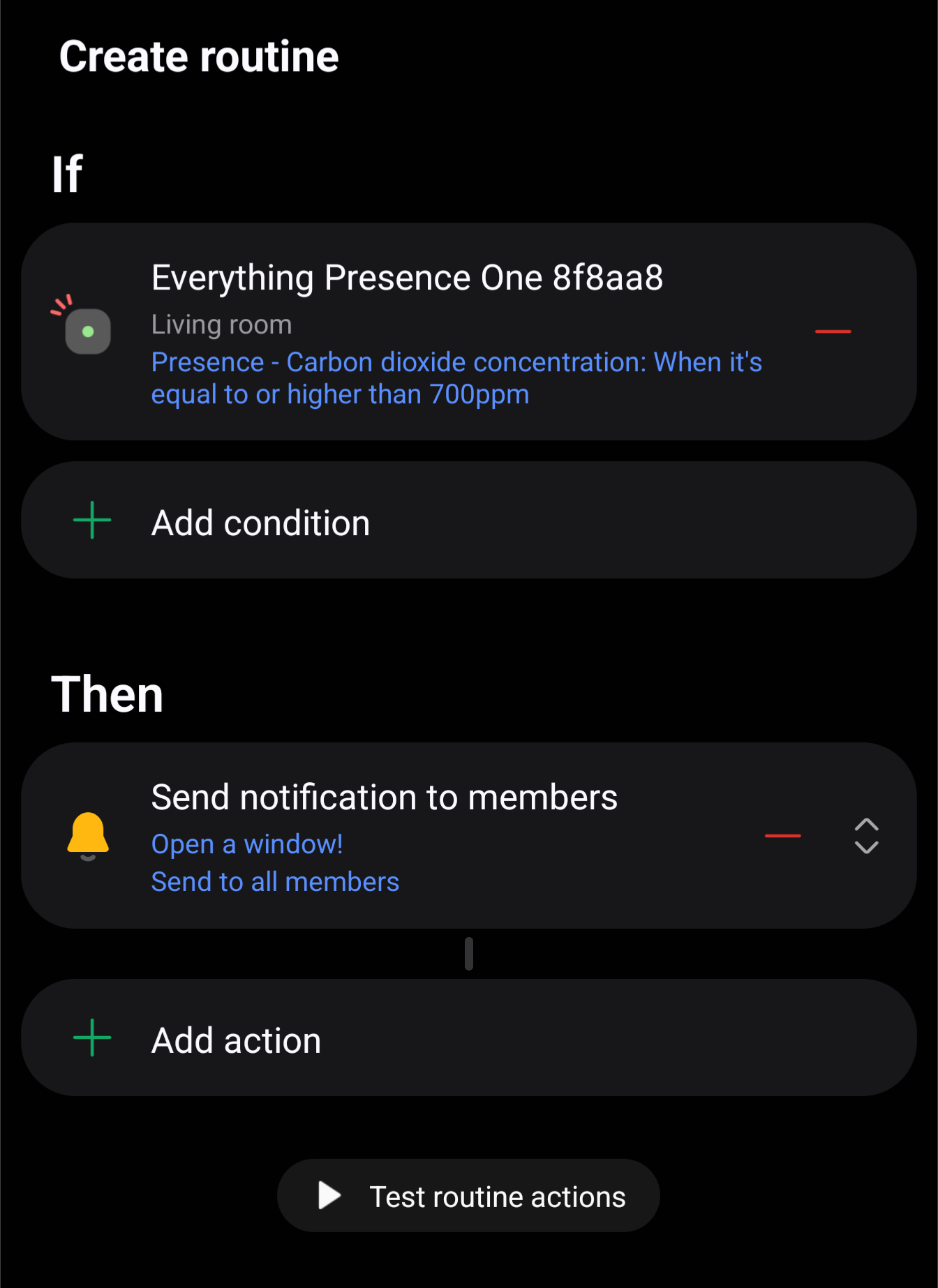
This requires the optional CO2 module and CO2-enabled firmware.
If:
- EP1
CO2rises above your chosen ppm value
Then:
- Send a notification
- Turn on ventilation, if available
For CO2 module setup and calibration details, see Integrate the Carbon Dioxide (CO2) Module for EP1.